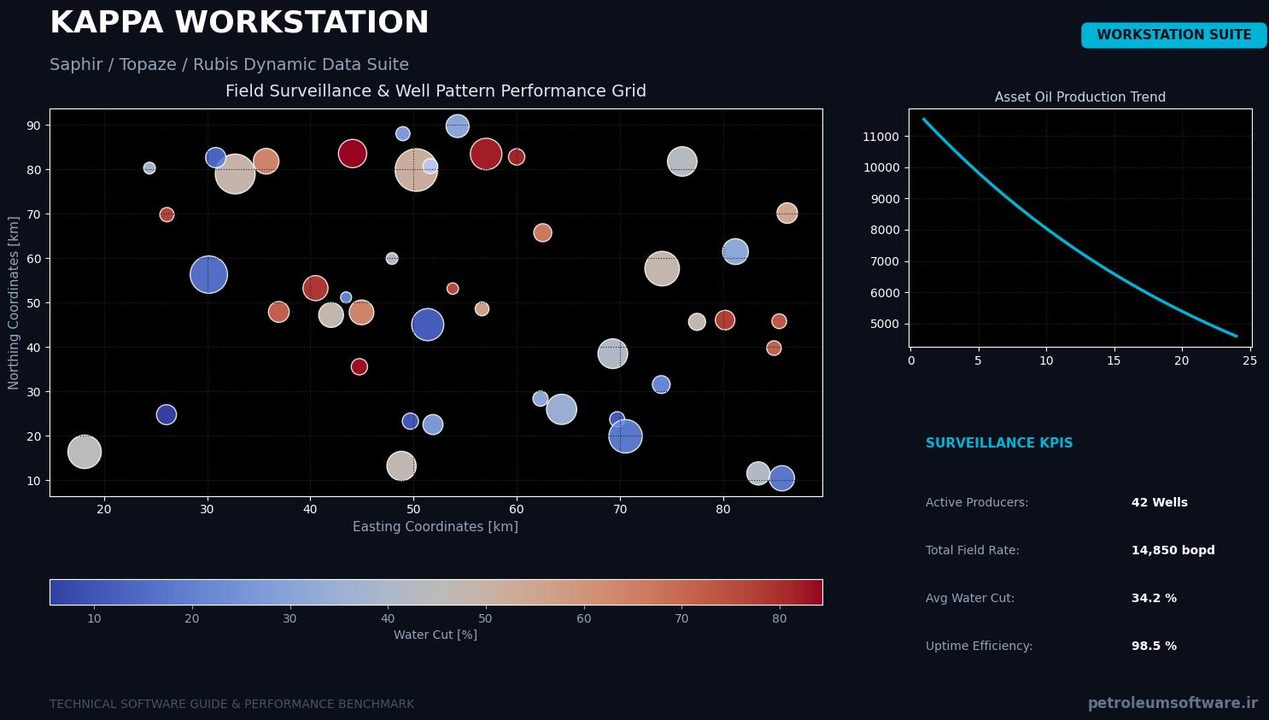
In the domain of petroleum and energy engineering, efficient and accurate analysis of dynamic reservoir data is critical for optimizing production and understanding reservoir behavior. The Kappa Workstation software, from KAPPA Engineering, stands as an integrated platform designed to address these complex analytical needs. Recognized by some academic course material as “the industry standard for the analysis of dynamic data,” this software aims to provide a comprehensive environment for production engineers and well test analysts.
Need This Software?
Contact us to request the software and receive download and access information.
This article provides an overview of Kappa Workstation’s integrated, multi-module architecture, enabling a seamless analytical workflow from near-wellbore pressure transient analysis to full-field numerical history matching, thereby distinguishing its utility for professionals seeking a unified approach to dynamic data interpretation.
Key Facts
- Category: Well Testing, Production Analysis & Artificial Lift
- Best for: Production Engineer / Well Test Analyst
- Also compare: PIE Well Test Analysis, Weatherford Field Office PanSystem
Overview of Kappa Workstation
Kappa Workstation is presented as a fifth-generation integrated software platform, bundling several specialized modules within a unified data environment. This architecture facilitates a continuous workflow from initial data interpretation to advanced reservoir modeling. Its primary value proposition lies in its ability to integrate various analytical disciplines that are often handled by disparate tools.
Core Modules and Capabilities
The Kappa Workstation platform bundles several key modules, each designed for specific aspects of well and reservoir analysis:
- Saphir NL (Pressure Transient Analysis – PTA): This module is dedicated to the analysis of pressure transient data, including well tests such as buildups, drawdowns, and interference tests. KAPPA Engineering states that Saphir NL alone boasts over 3,000 active installations and is utilized by nearly all major IOCs, NOCs, independents, and service companies, underscoring its widespread adoption in the industry.
- Topaze NL (Rate Transient Analysis – RTA): Topaze NL focuses on analyzing production rate and pressure data over longer periods to characterize reservoir and well performance, particularly in unconventional reservoirs.
- Rubis (Full-Field Numerical Modeling / History Matching): Rubis provides capabilities for building and history matching full-field 3D/3-phase sector numerical models. It allows engineers to integrate analytical results into a broader reservoir simulation context.
- Azurite (Formation Testing): This module is tailored for the analysis of data acquired during formation testing operations, providing insights into near-wellbore reservoir properties.
Integrated Workflow and Differentiator
A primary differentiator for Kappa Workstation, compared to standalone well test analysis tools, is its integrated, multi-module architecture. This design allows for an analysis workflow that flows seamlessly from near-wellbore analytical work (such as PTA or RTA) into full-field numerical history matching, all within a single data environment without requiring users to switch between different applications. This integration aims to improve data consistency and efficiency in complex reservoir studies.
Advanced Analytical Features
Beyond its core modules, Kappa Workstation includes specialized analytical capabilities that enhance its utility for detailed reservoir characterization:
- Minifrac Analysis: The software supports the analysis of minifrac tests, which are crucial for understanding hydraulic fracture initiation and propagation in unconventional plays.
- Multiple-Probe Formation Tests: It offers robust analysis for data acquired from multiple-probe formation testers, providing more detailed insights into reservoir anisotropy and permeability distribution.
- Deconvolution: This feature enables the linking of buildups separated in time. By deconvoluting pressure responses, engineers can effectively “see further” into the reservoir than would be possible with a single, isolated buildup test, enhancing the understanding of reservoir connectivity and boundaries.
Comparison with Related Tools
To provide context for its place in the industry, Kappa Workstation can be compared to other products within the well testing and production analysis category. While specific details of competing tools are outside the scope here, the table below lists some related software, primarily differentiating by the integrated platform approach of Kappa Workstation versus more focused standalone applications.
| Product Name | Category |
|---|---|
| Kappa Workstation | Well Testing, Production Analysis & Artificial Lift |
| PIE Well Test Analysis | Well Testing, Production Analysis & Artificial Lift |
| Weatherford Field Office PanSystem | Well Testing, Production Analysis & Artificial Lift |
| IHS WellTest | Well Testing, Production Analysis & Artificial Lift |
Who Uses Kappa Workstation?
The extensive adoption of the Kappa Workstation platform, particularly its Saphir NL module, across major International Oil Companies (IOCs), National Oil Companies (NOCs), independent operators, and service companies, as stated by KAPPA Engineering, highlights its role as a widely recognized tool for dynamic data analysis. Professionals seeking a comprehensive and integrated solution for analyzing pressure and rate transient data, conducting formation testing, and performing full-field numerical history matching typically utilize this software.
Conclusion
For production engineers and well test analysts navigating complex reservoir challenges, Kappa Workstation offers an integrated suite of tools designed to streamline dynamic data analysis. Its multi-module architecture, encompassing PTA, RTA, numerical modeling, and formation testing, provides a unified environment for interpreting reservoir behavior from near-wellbore to full-field scale. The inclusion of specialized features like minifrac analysis, multiple-probe formation tests, and deconvolution further enhances its capabilities for detailed reservoir characterization. To explore how Kappa Workstation can enhance your specific well test and production analysis workflows, consider submitting an inquiry via the petroleumsoftware.ir request form.
Need Access to This Software?
Need this software for your project? Contact us for download access, availability, and related information.
FAQ
What is the primary function of Kappa Workstation?
Kappa Workstation is an integrated platform for the analysis of dynamic reservoir data, encompassing well testing, production analysis, formation testing, and full-field numerical modeling.
How does Kappa Workstation integrate different analysis types?
It bundles specialized modules (Saphir NL, Topaze NL, Rubis, Azurite) within a unified data environment, enabling a continuous workflow from initial data interpretation to advanced reservoir modeling without requiring users to switch between separate applications.
Which specific analytical techniques are supported by Kappa Workstation?
The software supports Pressure Transient Analysis (PTA), Rate Transient Analysis (RTA), Formation Testing, Minifrac Analysis, Multiple-Probe Formation Tests, Deconvolution, and Full-Field Numerical Modeling/History Matching.
How does its multi-module architecture benefit complex reservoir studies?
Its multi-module architecture allows for a seamless workflow, integrating near-wellbore analytical work with full-field numerical history matching within a single environment. This design improves data consistency and efficiency for comprehensive reservoir studies.
What distinguishes Kappa Workstation from standalone well test analysis tools?
Kappa Workstation is distinguished by its integrated, multi-module architecture, which facilitates a continuous workflow across various analytical disciplines—from PTA/RTA to full-field numerical modeling—within a single data environment, unlike standalone tools that typically focus on individual analysis types.