
Plant Design Engineers and Piping Designers often seek specialized software solutions that can handle the complexities of 3D plant and piping design, from initial layout to fabrication deliverables. CADWorx software provides a specification-driven approach to these tasks, aiming to integrate robust design capabilities with familiar CAD workflows. This article explores CADWorx’s core features and its utility for professionals involved in process engineering and asset integrity projects.
Need This Software?
Contact us to request the software and receive download and access information.
Originally part of the Hexagon Asset Lifecycle Intelligence portfolio, CADWorx is now integrated into Octave Intelligence plc’s Forte 3DWorx suite. This review details the established functionalities of CADWorx, clarifying how it supports the creation of precise plant models, equipment, and structural components, alongside the generation of essential documentation required throughout project lifecycles.
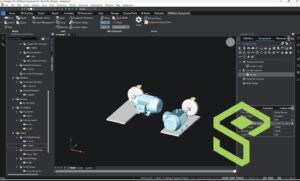
Key Facts
- Category: Plant Design & Piping Software
- Best for: Plant Design Engineers, Piping Designers, and professionals in 3D plant and piping design, equipment, and structural modeling.
- Also compare: Autodesk Plant 3D, Bentley OpenPlant Modeler, SolidPlant 3D
Understanding CADWorx Software for Plant Design
CADWorx is engineered to support a comprehensive approach to 3D plant and piping design. It caters to Plant Design Engineers and Piping Designers by providing tools for creating detailed models and associated documentation. The software’s foundation on familiar CAD and BricsCAD-based workflows aims to streamline the design process from conceptualization through to fabrication deliverables.
Core Capabilities of CADWorx
The functionality of CADWorx is centered around its ability to facilitate complex plant design projects. Key features include:
- Specification-driven 3D Plant and Piping Design: Enables the creation of detailed plant layouts and piping networks based on industry specifications and catalogs, ensuring accuracy and compliance.
- Equipment and Structural Modeling: Provides tools for modeling plant equipment and supporting structures, allowing for a holistic representation of the facility within the 3D environment.
- CAD and BricsCAD-based Workflows: Integrates with established CAD platforms, offering a familiar interface and workflow for designers already proficient in these environments.
- Isometric Drawing Generation: Automates the creation of isometric drawings directly from the 3D model, essential for fabrication and construction.
- Bills of Material and Project Database: Generates accurate bills of material (BOMs) and maintains a comprehensive project database, crucial for material take-offs, cost estimation, and project management.
The CADWorx Approach to Integrated Design
CADWorx differentiates itself by combining a familiar DWG-based CAD workflow with specialized functionalities tailored for plant design. This integration is designed to provide a cohesive environment where designers can leverage their existing CAD skills while benefiting from advanced features for piping specifications, component catalogs, and fabrication outputs. This allows for an efficient transition from design to procurement and construction phases.
Comparing CADWorx with Related Design Tools
When evaluating software for plant design and modeling, engineers often consider various options. CADWorx, now part of the Octave Forte 3DWorx suite, is positioned among tools that aim to provide comprehensive solutions for this discipline. The table below outlines how it compares to other notable products in the category based on general function.
| Feature/Capability | CADWorx (Forte 3DWorx) | Autodesk Plant 3D | Bentley OpenPlant Modeler | SolidPlant 3D |
|---|---|---|---|---|
| 3D Plant & Piping Design | Specification-driven 3D modeling for plant and piping systems. | Comprehensive 3D plant design, including piping, equipment, and structural. | Integrated 3D plant modeling and design environment. | 3D plant design and piping software built on SOLIDWORKS. |
| CAD Workflow Basis | DWG-based CAD and BricsCAD integration. | AutoCAD-based environment. | MicroStation-based platform. | SOLIDWORKS integration. |
| Deliverables | Isometric drawings, Bills of Material, project database. | Isometric drawings, P&ID, reports, Bills of Material. | Isometrics, reports, Bills of Material. | Isometric drawings, Bills of Material. |
| Target Discipline Focus | Process Plant Design (piping, equipment, structures). | Process Plant Design (piping, instrumentation, structural). | Process Plant Design (multi-discipline). | Process Plant Design. |
Why Engineers Choose CADWorx for Plant Projects
Engineers and designers select CADWorx for its capacity to deliver precise and project-ready outputs within an integrated environment. The software’s focus on specification-driven design, combined with its ability to generate crucial documents like isometric drawings and bills of material, supports project efficiency and accuracy. Its compatibility with common CAD platforms further enhances its utility for teams accustomed to those workflows.
The integration of established CAD workflows with specialized plant design specifications within CADWorx streamlines the entire project lifecycle, from initial design to final fabrication documentation.
Frequently Asked Questions about CADWorx
What types of projects is CADWorx best suited for?
CADWorx is best suited for projects involving 3D plant and piping design, equipment modeling, and structural modeling within the process engineering, plant design, and asset integrity sectors. It is designed to handle complex plant design projects requiring detailed models and associated documentation.
How does CADWorx support multi-disciplinary plant design?
CADWorx supports multi-disciplinary aspects within plant design through its capabilities for specification-driven 3D plant and piping design, as well as tools for equipment and structural modeling. This allows for a comprehensive representation of various plant components within a single 3D environment, encompassing piping, equipment, and structures.
Can CADWorx be integrated with other engineering tools?
CADWorx is built upon CAD and BricsCAD-based workflows, integrating with established CAD platforms. This foundation allows it to work within a common CAD ecosystem, leveraging existing CAD proficiencies for designers.
What are the primary outputs generated by CADWorx?
The primary outputs generated by CADWorx include automated isometric drawings, accurate Bills of Material (BOMs), and a comprehensive project database. These outputs are essential for fabrication, construction, material take-offs, cost estimation, and overall project management.
How does CADWorx handle compliance with industry standards and specifications?
CADWorx handles compliance by enabling specification-driven 3D plant and piping design. This allows for the creation of detailed plant layouts and piping networks based on predefined industry specifications and catalogs, which helps ensure accuracy and adherence to compliance requirements.
Need Access to This Software?
Need this software for your project? Contact us for download access, availability, and related information.
Conclusion
CADWorx software provides Plant Design Engineers and Piping Designers with a robust solution for 3D plant and piping design that leverages familiar CAD workflows. Its focus on specification-driven modeling, integrated equipment and structural design, and automated generation of critical fabrication documents like isometric drawings and bills of material makes it suitable for projects demanding precision and efficiency. For further details or to discuss how CADWorx’s capabilities align with your engineering projects, please use our inquiry form to connect with our specialists.
Source: Learn more directly from the official Hexagon product page.